
A new client signs on Tuesday afternoon. The follow-up with their kickoff booking link is due within two days, and nobody wrote down whose job it is. On Friday the client writes: “I paid on Tuesday and have not heard about next steps. Did I miss something?”
The short answer
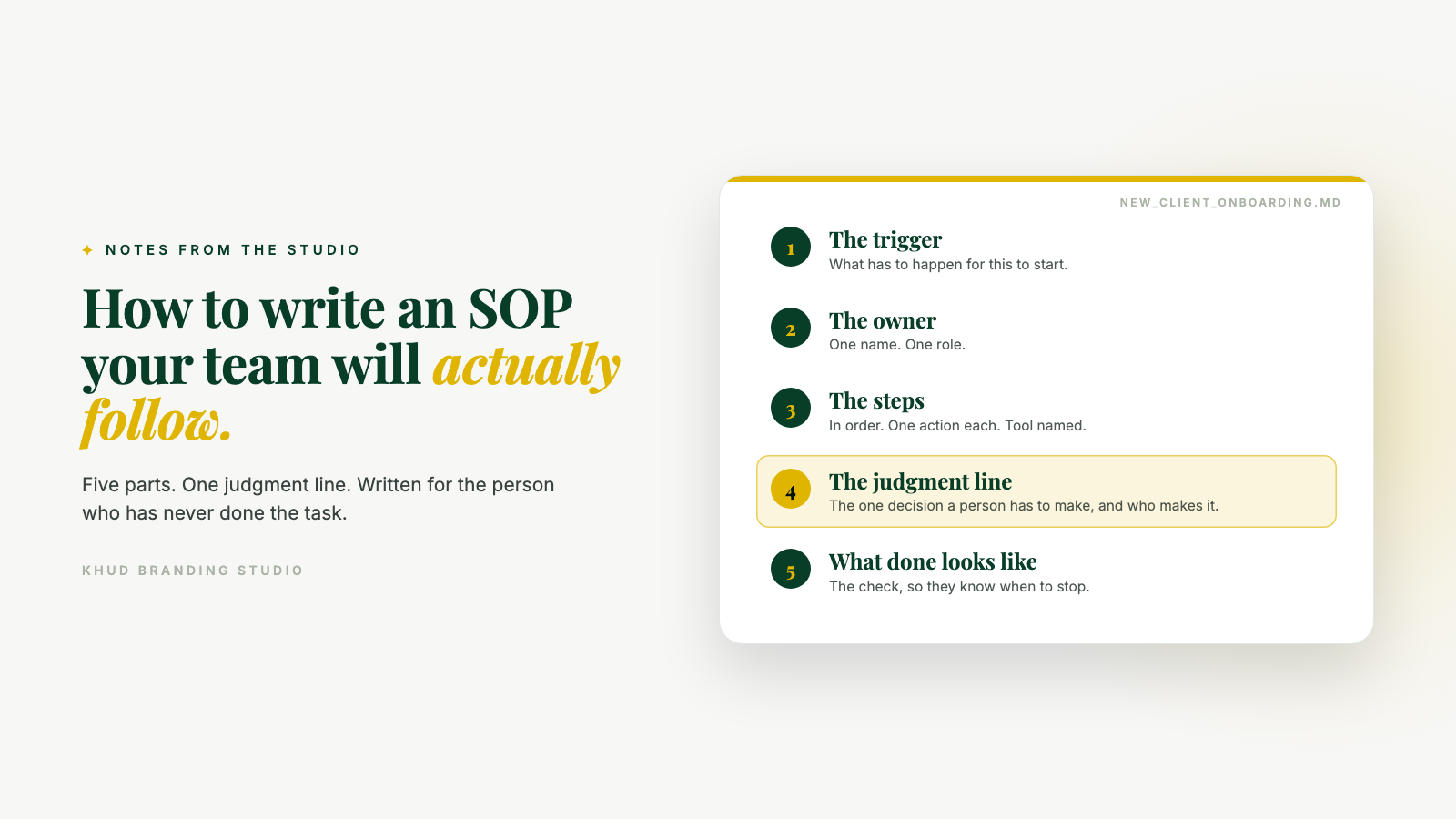
- A good SOP covers six things: what starts the work, who is accountable, the steps and when each is due, who does each step, what done looks like, and when it was last checked.
- Every step goes to a tool, to you, or to a team member, so it works with a team or without one.
- A step that needs a decision, like a price, a date or an exception, always goes to a person.
- Download the free template below and test it on someone who has never done the task.
In this post
What happens when a business has no SOP?
Steps fall between people, deadlines slip, and the client is the first to notice. The steps were never written down, so each person filled the gap with a guess.
Take the client who signed on Tuesday. The welcome email went out on its own, and the invoice was paid the same day. You thought your assistant sent the kickoff link. Your assistant thought you were waiting for the payment to clear.
So the client spent three days in silence, in the week a new client decides whether they chose well. You apologize, book the call, and spend the kickoff earning back the trust you had on Tuesday. Some clients never send the referral they were going to send.
If you work alone, it is the same story with one fewer person. The step lives in your head until the week your head is full.
Bigger companies have the same gap. In a 2018 survey for Panopto, US knowledge workers at organizations of 200 or more people said they lose 5.3 hours a week waiting for information from colleagues or recreating knowledge that already exists. The same report found that 42 percent of institutional knowledge is unique to the individual.1
Microsoft's 2023 research found that 62% of people struggle with too much time spent searching for information.2 Atlassian's 2025 research found that leaders and teams waste 25% of their time just searching for answers.3
What should an SOP template include?
Six parts. Most templates cover the first three and the fifth.
| The part | What goes in it |
|---|---|
| What starts it | The one event that begins the work, like a signed agreement or a booked call. |
| Who is accountable | One person who keeps the procedure true. In a business of one, that is you. |
| The steps | One action per step, in order, with when it is due and the tool it happens in. |
| Who does each step | A tool, you, or a team member. A step where a person has to make a call is marked Needs a decision and never goes to a tool. |
| Done looks like | What someone can see when the work is finished. |
| Last checked | The date someone last walked through it and confirmed it still matches the work. |
In October 2026 I read the five SOP template pages that rank highest in search. None of them marks which steps a person decides, and none names who signs off before something reaches a client. In a service business, those are the steps that protect your reputation.
How detailed should an SOP be?
Detailed enough that someone who has never done the task can do it without asking you, and no longer than the work itself. Three rules get you there.
- One action per step. If a step has “and” in it, it is probably two steps.
- The real names. Name the tool, the folder and the template the way your team says them.
- The exact words. Anything that goes to a client is pasted in, so nobody writes it from scratch under pressure.
The template has room for 29 steps across two pages. If a procedure runs longer than that, it is usually two procedures. Split it where the owner changes. For how to write each step, read how to write an SOP your team will actually follow.
Which steps should a person decide?
Any step that commits your business to something, and any step a client would notice if a person skipped it. A price, a date, a change in scope, an exception to your policy. Those steps go to you or a team member, never to a tool. On the template, you tick Needs a decision on those steps.
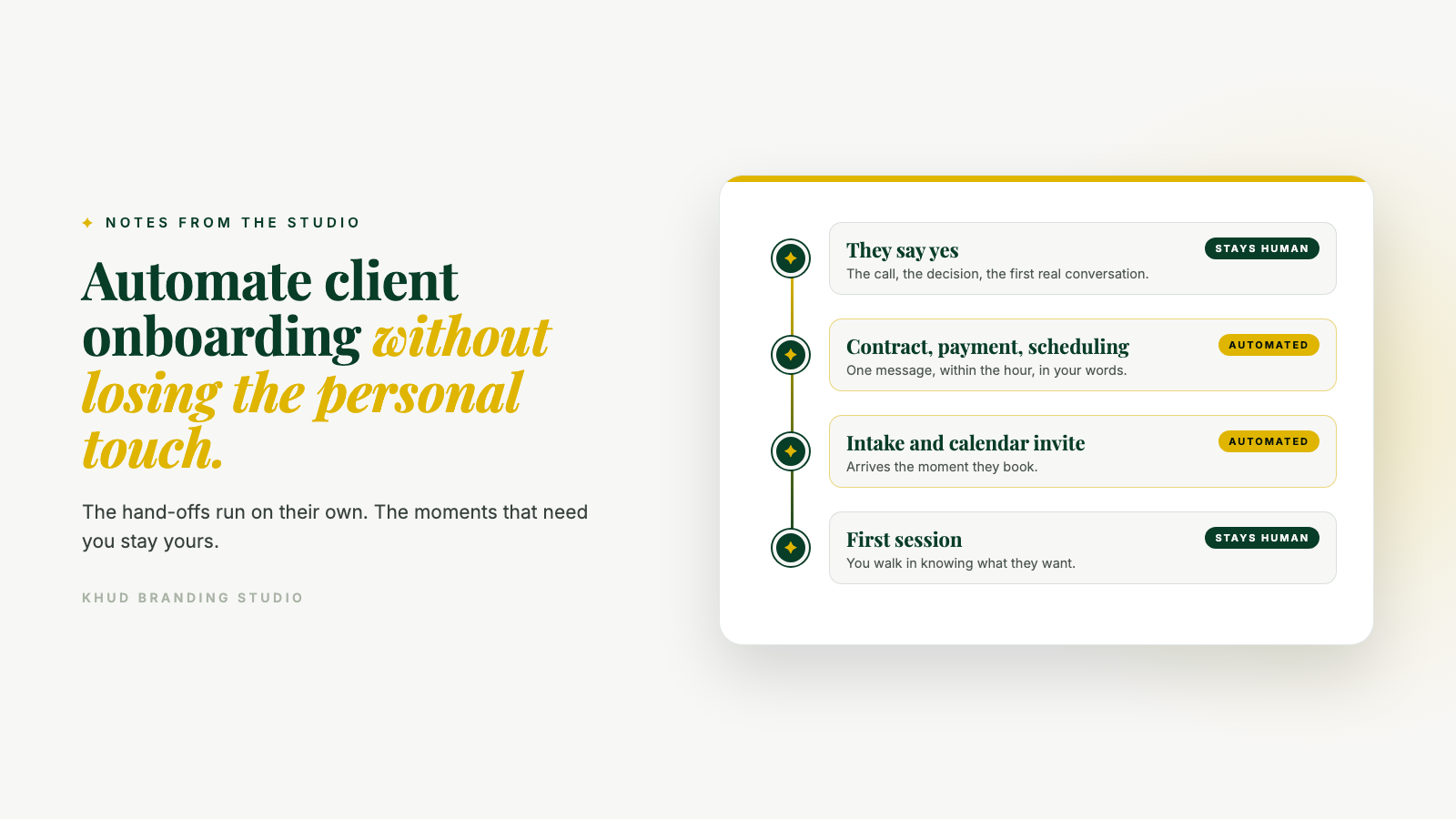
This is the line from what should stay human in an automated service business, written into the procedure itself. The same line decides which client messages need approval every time.
Everything else can go to a tool, once you have watched it do the step right a few times. Until then it stays with you or a team member.
What does a filled-in SOP look like?
Here is a sample SOP for onboarding a new client. Every step says who does it, a tool, you, or a team member, and when it is due.
New client onboarding
Purpose
Get every new client from the signed agreement to the kickoff call with no missed steps.
Trigger
The client signs the agreement.
Owner
You. You keep this procedure true and check it each quarter.
Tools used
- Gmail
- QuickBooks
- Calendly
- Google Drive
Step-by-step procedure
Needs a decision means a person has to make a call at that step, so it never goes to a tool.
- 1
Send the welcome email Tool
Due: Same day as signing
From the saved welcome template.
- 2
Send the first invoice Tool
Due: Same day as signing
From QuickBooks, using the payment schedule in the agreement.
- 3
Confirm the start date and the package YouNeeds a decision
Due: Within 1 business day
Check both against the signed agreement and your calendar before anything else goes out.
- 4
Send the kickoff booking link Team member
Due: Within 2 days of signing
With the kickoff call type already set.
- 5
Share the client folder and the intake form Team member
Due: Within 2 days of signing
With the client's name in the folder title.
- 6
Read the intake before the kickoff YouNeeds a decision
Due: The day before the kickoff
Decide whether anything in the answers needs a conversation before the kickoff call.
Decision points and exceptions
- The first payment has not arrived after three days. You contact the client yourself. No tool sends a reminder about money without your yes.
Completion criteria
The client has the invoice, the kickoff call on their calendar and access to the folder, and you have read the intake.
A sample procedure for this post
Six steps: two for a tool, two for a team member and two that stay with you. For the whole stretch from yes to first session, read how to automate client onboarding without losing the personal touch.
How often should you update an SOP?
The day the process changes, and once a quarter even when nothing seems to have changed. A procedure that was true in March and wrong in September is worse than none, because people trust it.
The simplest rule comes from a Hacker News thread about keeping process documentation current: make updating the documents an official step of any process change.4 When you change how the work is done, the change is finished when the SOP says so.
Write it You
Start from the last time the work went wrong, and write the steps that would have prevented it.
Test it Someone new
Hand it to a person who has never done the task and watch where they stop.
Run it You or your team
Every time the work happens with each step going to the tool or person named on it.
Check it The owner, each quarter
Walk through it, fix what changed, and update the Last checked date.
Can AI write your SOP?
It can write a good first draft. Record yourself doing the task once on screen, and ask an AI tool to turn the recording into steps. You will see steps you do without noticing, which are the ones a new hire would miss.
Then a person goes through every step, and who does it, before anyone relies on it. A confident draft can still hand a decision to a tool, and that is the one mistake a procedure cannot afford.
Keep the recording. A short video beside the written steps answers the questions a page cannot. On every system I build, each automation comes with a written procedure and a video walkthrough.5
The SOP template
- What goes in:
- one workflow you repeat.
- What comes out:
- a procedure where every step says who does it, a tool, you, or a team member, and when it is due.
- What to check:
- every step that needs a decision goes to a person, and the Last checked line has a date.
Three pages: an example on page 1, your template on pages 2 and 3.
Questions people ask about SOP templates
What is the difference between an SOP, a work instruction and a policy?
A policy says what the rule is. An SOP says how a whole process runs, step by step, and who does each step. A work instruction covers one task inside that process, such as how to set up a client folder. Most service businesses need SOPs first.
Do SOP templates work for small businesses?
Yes, and they matter more there, because one person often holds a whole process in their head. When that person is out, the work stops or gets guessed at. Start with one workflow, the one that went wrong most recently, and fill in the template for that.
Do I need an SOP if I work alone?
Yes. Writing it down is how you hand a step to a tool today and to a person later, without rebuilding the process from memory. Mark the team member steps as yours until you hire. Every procedure you write down is a question you stop answering.
Who should write an SOP?
The person who does the work writes the first draft, because they know the real steps. The person accountable for the procedure checks it, marks the steps that need a decision, and dates the Last checked line. In a business of one, both are you.
What makes an SOP stop working?
It stops working when one of three things happens. Nobody owns it, so it falls out of date. It was written for someone who already knows the work, so a new person stalls. Or a step that needs a decision goes to a tool.
Sources
- Panopto, "Inefficient Knowledge Sharing Costs Large Businesses $47 Million Per Year," on the Workplace Knowledge and Productivity Report, PR Newswire, July 17, 2018.
- Microsoft, "Will AI Fix Work?" 2023 Work Trend Index, May 9, 2023.
- Atlassian, State of Teams 2025.
- "Ask HN: How to keep process documentation up to date?" Hacker News, December 8, 2018.
- North Star Operations, "How It Works," khudco.com/operations.
The photos in this article are AI-generated illustrations.

Written by Kalilah Hudson
Kalilah spent fourteen years writing procedures and training the departments that ran them. She now builds the systems service businesses run on through North Star Operations.
Every Monday she sends one part of your sales and client system in The North Star Newsletter. Get the weekly guide.